This feature allows you to sync Entra ID (formerly Azure AD) and SmartHR account and Group information to the Teachme series.
※For details on integration with SmartHR, please refer to the following
Can I integrate with services other than Entra ID using User Provisioning or Team Provisioning?
https://help.series.teachme.jp/hc/en-us/articles/63062071659545
By eliminating the need to manage information in two places, you can significantly reduce the burden of account management.
In addition, by deleting accounts in Entra ID (formerly Azure AD), you can prevent accounts from being overlooked when employees leave, and maintain a higher level of security.
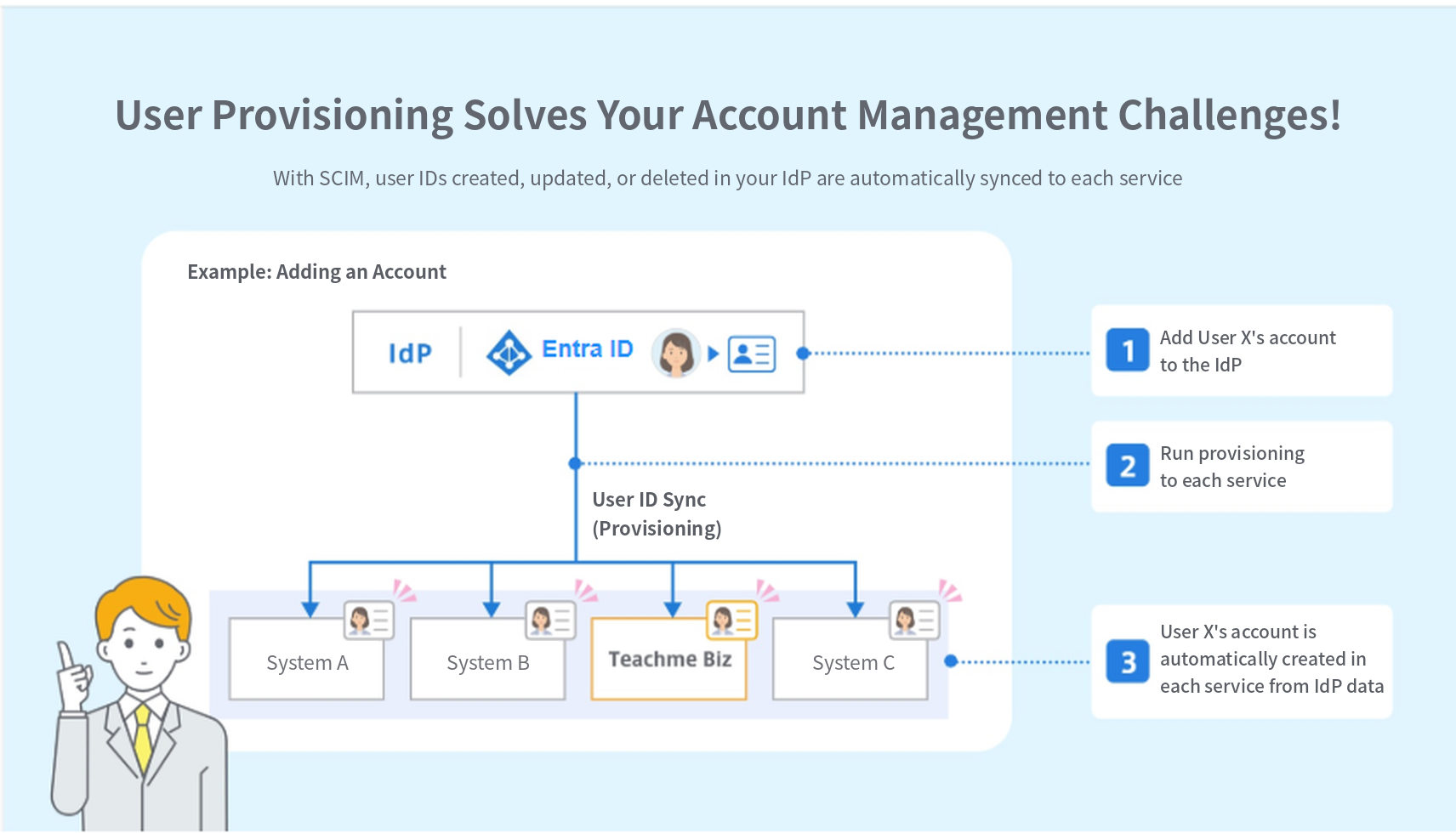
Feature Overview
Prerequisites for Using the Feature
- Single Sign-On Settings between Entra ID (formerly Azure AD) and the Teachme series have been configured
Related: SSO via Entra ID (formerly Azure AD) (Web Browser)
https://teachme.jp/8/manuals/51167291
- The email addresses of employees managed in Entra ID (formerly Azure AD) match the email addresses of accounts in the Settings Center
※It is not required that all account email addresses in the Settings Center be registered in Entra ID (formerly Azure AD)
What You Can Do with "User Provisioning"
- Using account creation, updates, and deletions in Entra ID (formerly Azure AD) as triggers, you can add new accounts, update, and delete accounts in the Settings Center.
What You Can Do with "Team Provisioning" (Teachme Biz only)
- Using the creation, updating, and deletion of "Groups" in Entra ID (formerly Azure AD) as triggers, you can add new, update, and delete "Teams" in Teachme Biz.
- Using changes to accounts within "Groups" in Entra ID (formerly Azure AD) as triggers, you can add and remove accounts from "Teams" in Teachme Biz.
Notes
-
Settings Center accounts newly created via User Provisioning do not have permissions for each product.
Please manually grant the necessary permissions after the account has been created.Related:
Change a User's Role (Web Browser)
https://teachme.jp/8/manuals/51248875What happens to permissions in each product when a user is invited or their permissions are changed in the Settings Center?
https://help.series.teachme.jp/hc/en-us/articles/63525318285721 -
Even if you change account information on the Settings Center side, the account information on the Entra ID (formerly Azure AD) side will not be updated.
-
Nested Entra ID (formerly Azure AD) groups cannot be synced as "Teams" in Teachme Biz.
-
If you change the Single Sign-On Settings to an IdP other than Entra ID (formerly Azure AD) while User Provisioning is active, User Provisioning will be disabled and the Message "Single Sign-On settings have been saved. SCIM Provisioning has been disabled." will be displayed.
Contracts That Can Use This Feature
This feature is available only when you have a Teachme Biz contract.
Teachme Biz Plans That Can Use This Feature
Please check here for the plans and options that support this feature.
Plans Available to Use This Feature (Entra ID) ※As of July 2024
- Microsoft Entra ID P1
- Azure Active Directory Premium P2
- Microsoft Entra ID Governance
※Plans that support "Automatic Group Provisioning for Applications"
Related: Microsoft Entra Plans and Pricing (External Site)
Setup Method
Permissions Required for Initial Setup
-
Teachme series: Administrator or Sub-administrator permissions are required.
Related: Change a User's Role (Web Browser)
https://teachme.jp/8/manuals/51248875
-
Entra ID (formerly Azure AD): One of the following roles is required: Application Administrator, Application Developer, or Cloud Application Administrator.
Related: Application Administrator Application Developer Cloud Application Administrator
Configuration
Please refer to the online manual.
▼User Provisioning with Entra ID (Web Browser)
https://teachme.jp/8/manuals/51167437
▼Team Provisioning with Entra ID (Web Browser)※Teachme Biz only
https://teachme.jp/8/manuals/51167411
▼Provisioning Invite Email Settings (Web Browser)
https://teachme.jp/8/manuals/51167397